myChef: A Tool for My Routine IAM Tasks
The Origin Story
During my journey learning Go, I created a simple CLI tool called sq (inspired by jq) to streamline my daily workflow. The concept was elegantly simple: instead of constantly copying and pasting JWTs, base64-encoded text, or SAML requests to various online tools, I could just copy the text and run sq in my terminal. The tool would automatically detect what I’d copied—whether it was a JWT, base64-encoded SAML request, or other encoded content—and handle it appropriately.
What started as a learning project quickly became indispensable. Over time, sq evolved into my personal Swiss Army knife for IAM troubleshooting. I was so excited about its utility that I even wrote an article documenting the initial idea.
The Problem
Then I switched from Mac to Windows. My beloved sq tool no longer worked in my new environment, forcing me to return to the scattered world of online tools.
The real pain point emerged when I began implementing DPoP (Demonstration of Proof-of-Possession) in OAuth flows. I needed a way for others to generate DPoP proofs for testing, but my existing scripts required specific setups that became a bottleneck. The same issue arose with PKCE. All I wanted was to build the authorization URL for others to test. There are multiple tools available, but switching between them is cumbersome and breaks the flow.
The Solution: myChef
Inspired by CyberChef, myChef is a simple, self-contained HTML application that runs entirely in your browser. No installation, no setup, no dependencies—just open it and start using the tools. Perfect for sharing with colleagues since anyone can use it immediately.
Initially, I only had the DPoP generator. I let AI take over in designing the UI, which did a beautiful job transforming it into a polished, user-friendly interface.
Key Features
1. Intelligent Base64 Tool
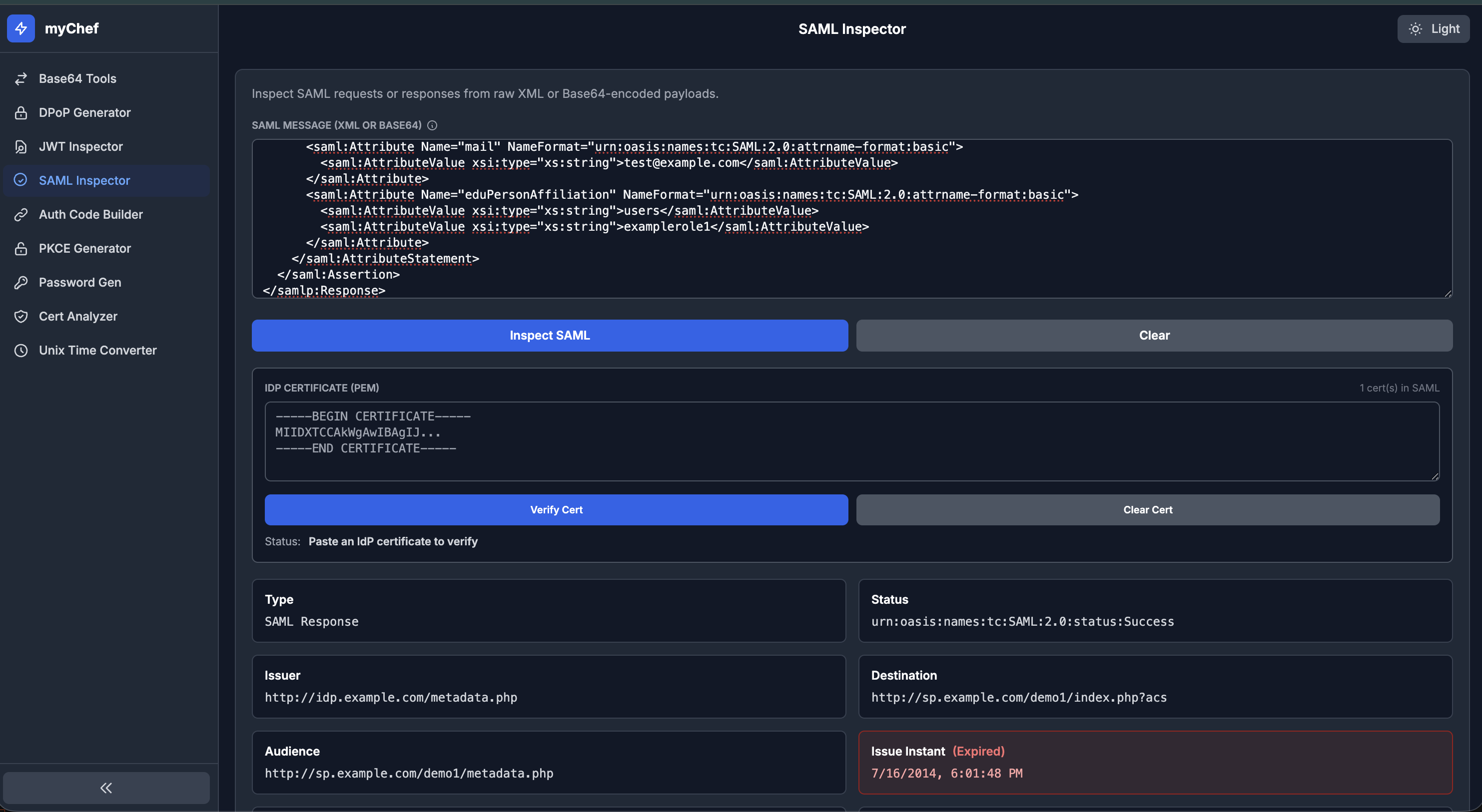
Paste a base64-encoded SAML Request, SAML Response, or JWT, and the tool automatically detects the type and extracts relevant information—invaluable for IAM troubleshooting. As a bonus, I added a textbox where you can paste an IdP certificate to verify signatures as well.
2. DPoP Generator
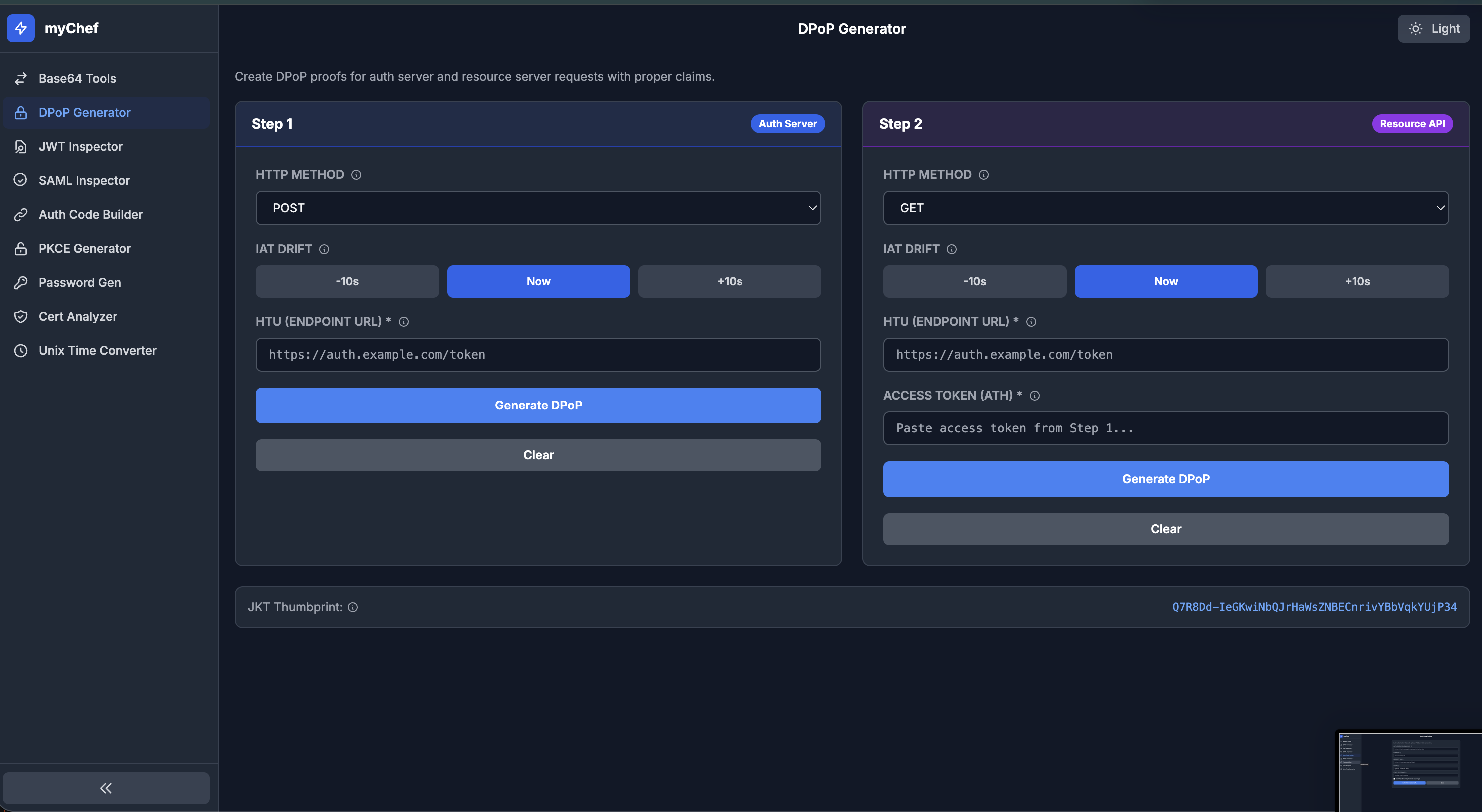
Generate DPoP proofs with a two-step process that mirrors real-world usage patterns. Most DPoP implementations require generating two proofs: one for the token request and another after receiving the token (this time including the ath claim with the access token hash). The tool provides granular controls to handle various use cases efficiently.
3. Authorization Code Builder
While you can accomplish this in Postman, I find this tool more convenient when working with others. Instead of modifying requests repeatedly in Postman, simply provide the parameters and let the tool build the authorization URL. Very handy for quick iterations.
4. Certificate Analyzer
How many times have you needed to quickly check which certificate was used in which environment, when it expires, or what information is embedded in it—especially when sharing SAML metadata or troubleshooting SAML issues? This tool provides nicely extracted information at a glance when you paste a PEM certificate.
5. General SAML and JWT Introspection
Quickly decode and inspect SAML assertions and JWTs without leaving your browser.
Try It Yourself
There are additional tools included as well. Feel free to explore and use whatever works for your workflow.
GitHub Repository: myChef on GitHub
Whether you’re troubleshooting authentication flows, testing OAuth implementations, or just need quick access to decode tokens, myChef is designed to make your IAM work smoother and more efficient.